Integrations
Connect payments, accounting and email to Rowbot - and let members link their own training accounts.
Rowbot connects to the tools your club already uses. There are two kinds, and they are set up in different places by different people.
Club integrations
Connected once, by an Admin, on behalf of the whole club.
GoCardless
Direct Debit - the workhorse for membership subscriptions.
Stripe
Card payments, Apple Pay and Google Pay, for money that needs to move now.
Xero
Push invoices, payments and refunds into your club accounts.
Mailchimp
Keep a marketing audience in step with your membership.
Where to find them. Payment and accounting providers live under Financials → Integrations, because they belong to the money. Mailchimp and the member-linked services below live under Club Settings → Integrations.
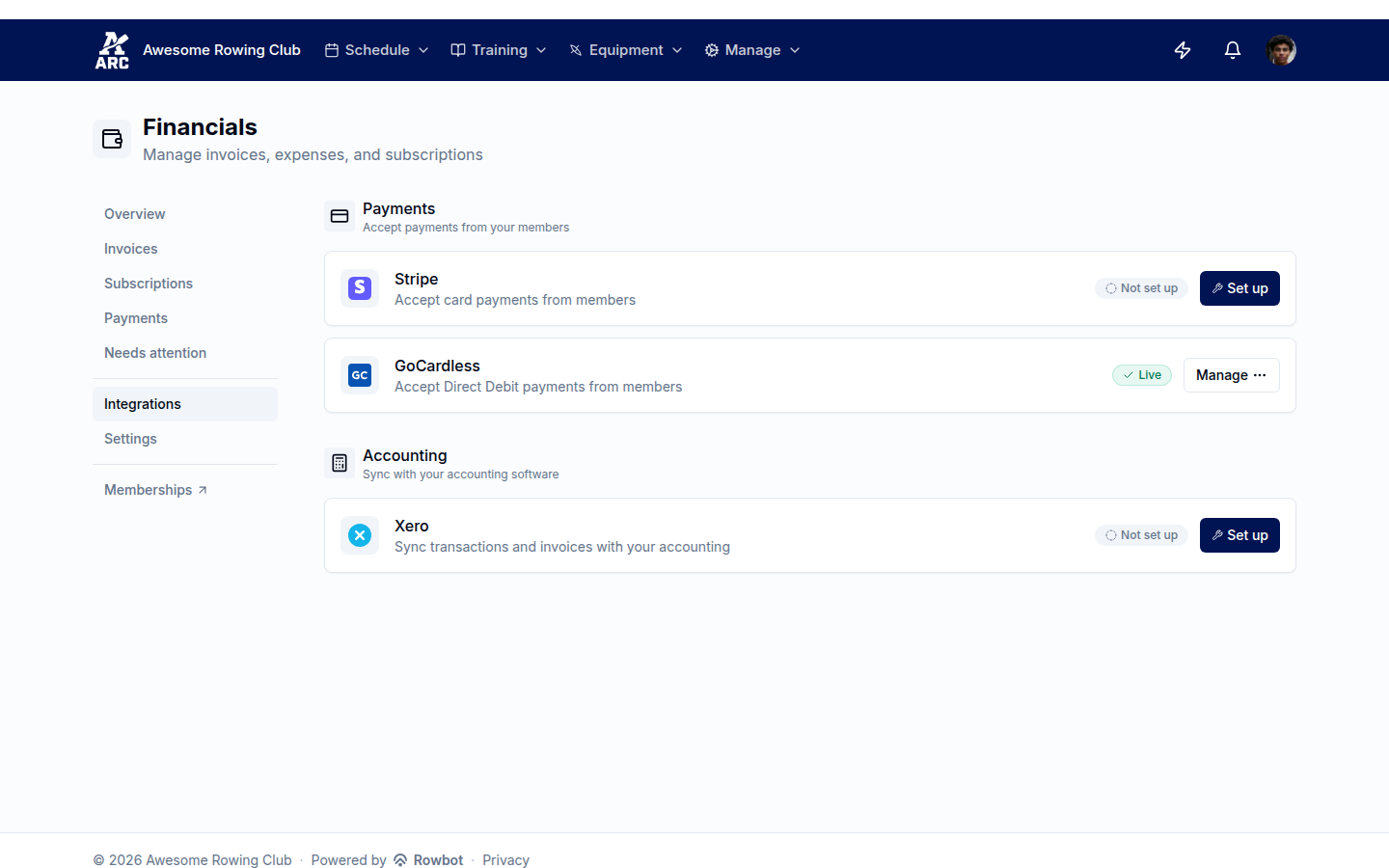
Each provider carries its own status, so you can tell at a glance what is actually working.
Connected is not the same as ready
Every provider has a setup checklist rather than a single connect button, because connecting an account is rarely the only thing standing between you and a working integration. A GoCardless account that has not cleared verification will happily let members sign mandates and then collect nothing. A Xero organisation with no income account mapped cannot post a single invoice.
The checklist tracks each of those, tells you why each step matters and what breaks if you skip it, and re-checks in the background - so an integration that was finished months ago but has since lapsed shows up as needing attention rather than silently failing.
Some things genuinely live at the provider and cannot be checked from here - your GoCardless payout account, for instance. Those appear as advisories: worth doing, but Rowbot cannot tick them off for you.
Member training integrations
These are linked by each member from their own Settings → Integrations - there is no club-level setup, and admins never see anyone's credentials. Once linked, workouts flow into that member's training log and the club's coaching analytics.
Concept2
Erg pieces from the Concept2 Logbook.
Strava
Rows, ergs and cross-training.
Hevy
Strength and gym sessions.
Apple Health, Health Connect and Samsung Health
Workouts recorded on a phone or watch, synced through the mobile app.
Members can also connect Google Calendar so club sessions appear in their own calendar.
A club can switch individual member integrations off if it would rather not use them - the toggles sit alongside the club integrations in Club Settings → Integrations.
Building against Rowbot yourself
If you want club data in your own systems, use the Rowbot REST API. It covers the same ground the app does, with per-club authentication.
What's next
- Payment policy - once payments are connected, decide which methods each kind of charge may use.
- Financials - invoices, payments and what needs attention.
Build your own
If your club needs something Rowbot does not do, you do not have to wait for us. The API lets you read your club's data, webhooks tell your systems when something happens, and an MCP connection lets an AI assistant answer questions about your club. A Zapier integration is on the way for clubs who would rather not write code at all.
Dunning and overdue payments
How Rowbot chases unpaid invoices, when a membership is suspended or cancelled for non-payment, and what needs your attention.
GoCardless (Direct Debit)
Connect GoCardless, get members onto Direct Debit mandates, collect subscriptions automatically, and handle failures and chargebacks.