GoCardless (Direct Debit)
Connect GoCardless, get members onto Direct Debit mandates, collect subscriptions automatically, and handle failures and chargebacks.
GoCardless collects money by Direct Debit - pulling from a member's bank account rather than charging a card. For a club billing the same people every month it is the workhorse: fees are lower than cards, and nothing expires the way a card does. The trade-off is time. Direct Debit settles over several working days, so Rowbot submits each collection ahead of its due date rather than taking money the instant an invoice is raised.
Most clubs end up using GoCardless for membership subscriptions and, if they also take one-off payments for kit or race entries, Stripe alongside it.
You need the Admin role to connect a provider. Money moves directly between your members and your club's own GoCardless account - Rowbot never holds your funds.
Connect your account
Everything to do with payment providers lives under Financials → Integrations.
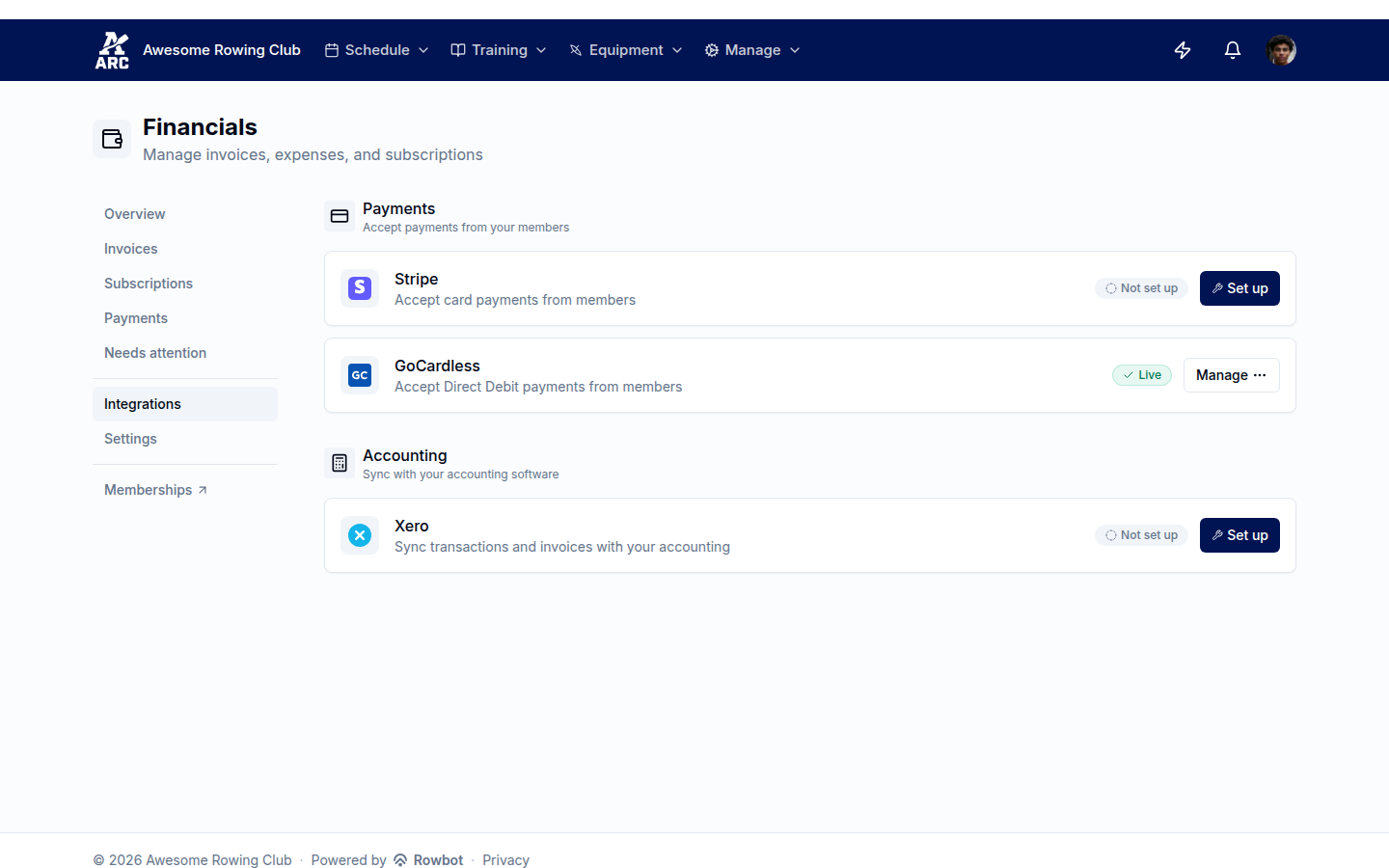
Each provider shows its own status. GoCardless here is Live - connected and verified.
Open Financials → Integrations and find the GoCardless card. If you have never connected it, the button says Set up.
Work through the setup checklist. Rowbot walks you through connecting the account and everything else that has to be true before money can move. You do not need a GoCardless account first - it will offer to create one and bring you back.
Wait for verification to clear. GoCardless has to verify who it is debiting money on behalf of. Rowbot rechecks automatically, so you can close the tab and come back.
Connected is not the same as ready. Until GoCardless finishes verifying your club, members can sign a mandate but no collection will actually take money. Nothing looks broken - invoices simply stay unpaid - so check the card reads Live before you rely on it.
Two things to check in GoCardless itself
Rowbot cannot see or set these for you, so they are worth doing while you are there:
- Your payout bank account. Collections land in your GoCardless balance and are paid out to an account you nominate in GoCardless.
- Their notification emails. The Direct Debit Guarantee requires members to be told before each collection. Rowbot sends that notice itself, so if GoCardless is also emailing them, your members get two.
Getting members onto a mandate
A mandate is the member's one-time authorisation for your club to collect from their bank account. They sign it once; every future collection runs off it.
Issue the membership as normal, choosing Direct Debit as the payment method.
Rowbot invites the member to set up their mandate. They follow the link, enter their bank details with GoCardless, and come back.
Collections start automatically from their first billing period. The member does nothing further.
If your club requires a mandate before membership starts, the membership waits in Pending until one exists and activates itself the moment it does - see Payment policy.
Moving from another system
If you already collect Direct Debits and those mandates sit on the same GoCardless account, Rowbot can match them to your members and carry on collecting - nobody has to re-sign. Bringing them across is part of the setup checklist. If your mandates are with a different provider, members will need to set up new ones.
How collection works
Rowbot does the timing for you, but it helps to know the shape of it:
| Stage | What is happening |
|---|---|
| Auto-collect | The invoice is marked for collection but nothing has been sent to the bank yet. |
| Submitted | The collection is with the banks and can no longer be cancelled. |
| Confirmed | The money has been taken successfully. |
| Paid out | GoCardless has settled it into your account. |
Because Direct Debit needs a run-up, Rowbot submits each collection a few working days before the due date. An invoice raised well in advance sits as Auto-collect until that window opens - that is normal, not a stuck payment.
Once a collection is submitted it cannot be cancelled or changed. If you need to adjust what a member pays, do it before the submission window - or let the collection complete and issue a credit note afterwards.
When a payment fails
Direct Debits bounce - insufficient funds, closed accounts, cancelled mandates. Rowbot does not leave you to notice by accident:
The invoice is marked unpaid and the failure reason is recorded against it.
The member is chased automatically on your club's reminder schedule, and the item appears in Financials → Needs attention for you to see at a glance.
If it stays unpaid, your club's dunning settings decide what happens - suspending or eventually cancelling the membership. You control those thresholds in Dunning and overdue payments.
A cancelled mandate is worth calling out: the member has stopped the Direct Debit at their bank, so no amount of retrying will work. They need to set up a new mandate before anything can be collected.
Chargebacks
A member can claim money back under the Direct Debit Guarantee, even after a payment has confirmed. When that happens Rowbot reverses the payment it had recorded, so the invoice returns to outstanding and the member still owes it - the money has genuinely left your account. Chargebacks surface in Needs attention so a treasurer sees them rather than finding a hole in the books later.
Instant Bank Pay
Direct Debit is built for recurring money. For a one-off payment - a race entry, a kit order - GoCardless also offers Instant Bank Pay: the member approves a single payment in their own banking app, and it settles the same day rather than taking days.
Switch it on under Financials → Settings, and members see "Pay from your bank" next to the card option on outstanding invoices. It is a genuine one-off: it does not create a mandate and gives the club no standing permission to collect again.
What's next
- Payment policy - decide which payment methods memberships and one-off charges may use.
- Stripe - card payments alongside Direct Debit.
- Xero - push invoices and payments into your accounts.